Automatically capture leads from your website, WhatsApp, referrals and marketing campaigns. AI scores each lead and assigns it to the right team member — so nothing falls through the cracks.
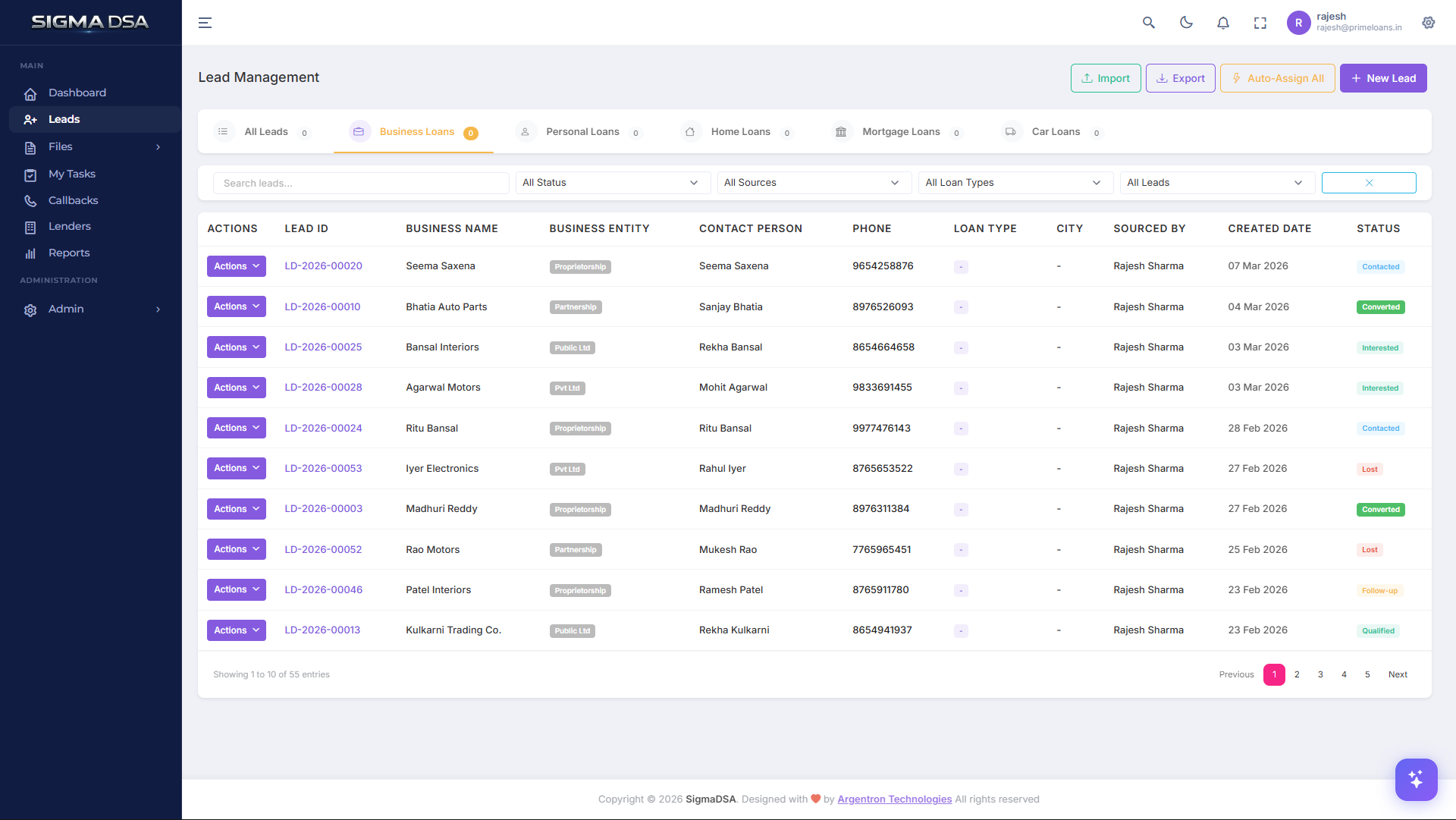
Leads flow in from your branded website, WhatsApp chatbot, walk-ins, referrals, social media campaigns and Excel bulk uploads — all into one unified inbox. No more scattered spreadsheets or missed enquiries from different channels.
Every lead is automatically categorized by loan type — Business Loan, Personal Loan, Home Loan, Mortgage/LAP, and Car Loan. The system adapts the form fields based on category: self-employed applicants see business fields, salaried applicants see employment fields, and property loans show property details.
Stop manually distributing leads. SigmaDSA's load-balanced auto-assignment algorithm counts active leads per team member and assigns new leads to whoever has the lightest workload. It only considers active statuses — converted, lost, and duplicate leads don't count against capacity.
When a lead is qualified, convert it to a loan file with one click. All applicant data — name, contact, KYC, address, employment, business details — is automatically copied to the new loan file. Select a lender, override the loan amount if needed, and the file enters the 9-stage processing pipeline instantly.
Every interaction is logged — phone calls with duration, WhatsApp messages, emails, meetings, notes, status changes, assignments, document uploads, and conversions. Your team never asks 'who spoke to this customer last?' again.
Export filtered leads to Excel with all details including currency-formatted amounts. Import hundreds of leads from Excel with automatic validation, loan type matching, and error reporting. Get real-time statistics — total leads, conversion rates, lead value — filtered by date range.