Billing & Subscription
Manage your SigmaDSA subscription — see the current plan and what it includes, download past invoices, and cancel or change the plan.
Billing & Subscription is the money side of your tenant: what you're on, what it costs, and every invoice we've raised. It sits at the bottom of the sidebar and is visible only to tenant owners and admins.
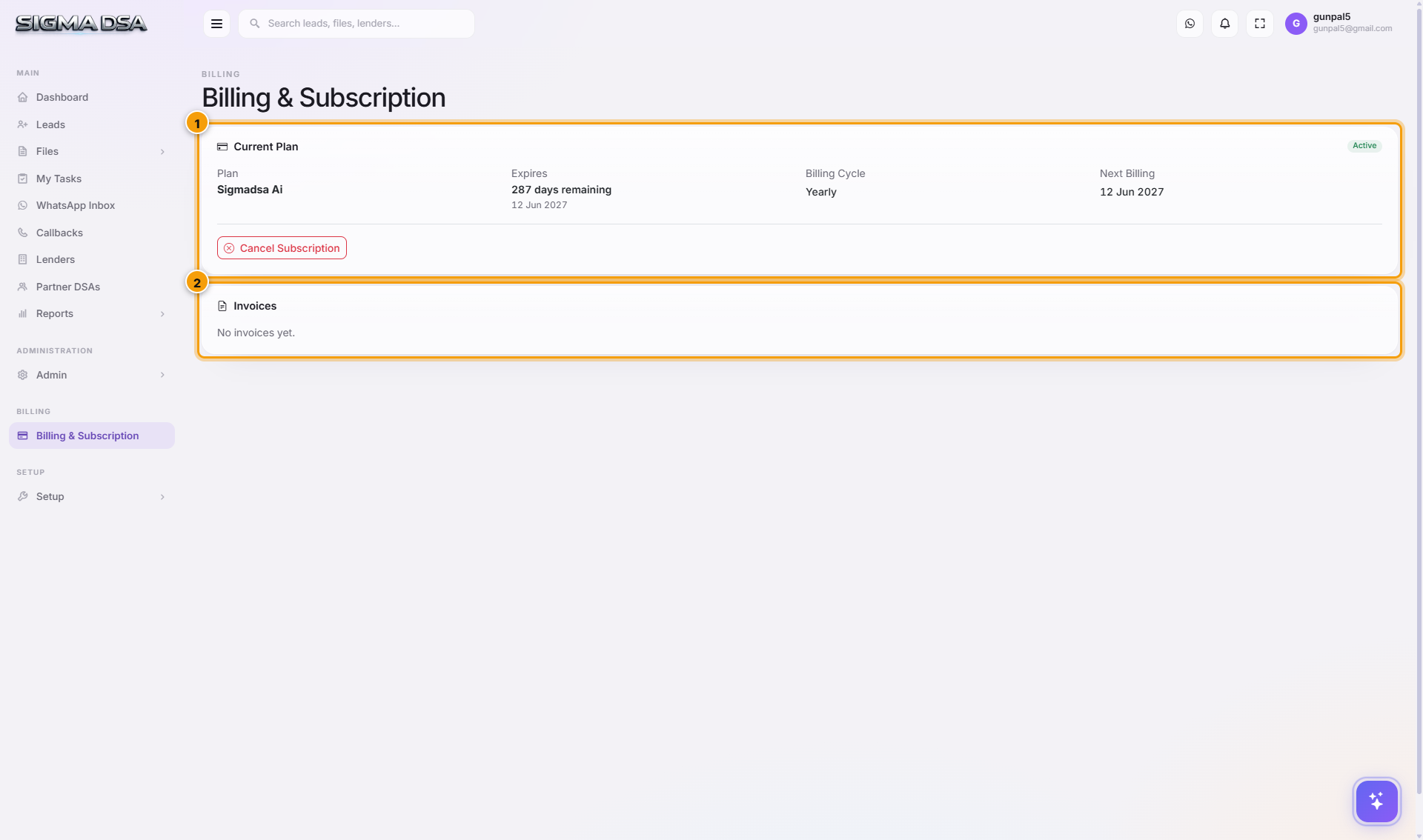
Current Plan
The top card shows the plan you're on and its status — Active while payments are current. SigmaDSA is sold as Flex: you pick the components you actually need (users, AI Employee, Document AI credits, WhatsApp, public website) and the price follows that choice, rather than a fixed tier.
Cancel Subscription stops the renewal. You keep working until the end of the period you've already paid for — cancelling doesn't cut access off mid-cycle or delete anything.
Invoices
Every invoice raised against your tenant is listed with its date, amount and status, and can be downloaded as a GST invoice carrying your registered business details. This is the list your accountant wants at the end of the quarter.
Commission invoices — the ones you raise on lenders for your payouts — are a different thing entirely and live with your files. See the Commissions report.
Changing your plan
Because Flex is per-component, adding seats or switching a feature on changes what you're billed next cycle rather than forcing a tier upgrade. Get in touch and we'll adjust the entitlement on your tenant.
Next steps
- Users — add the seats you're paying for
- Commissions report — what your lenders owe you