Commissions Report
Commission earnings and payouts — earned vs received vs pending, per-lender + per-product split, payout aging, partner DSA payouts.
The Commissions Report is the money view — every commission your DSA has earned, with status, aging, and per-lender / per-partner splits.
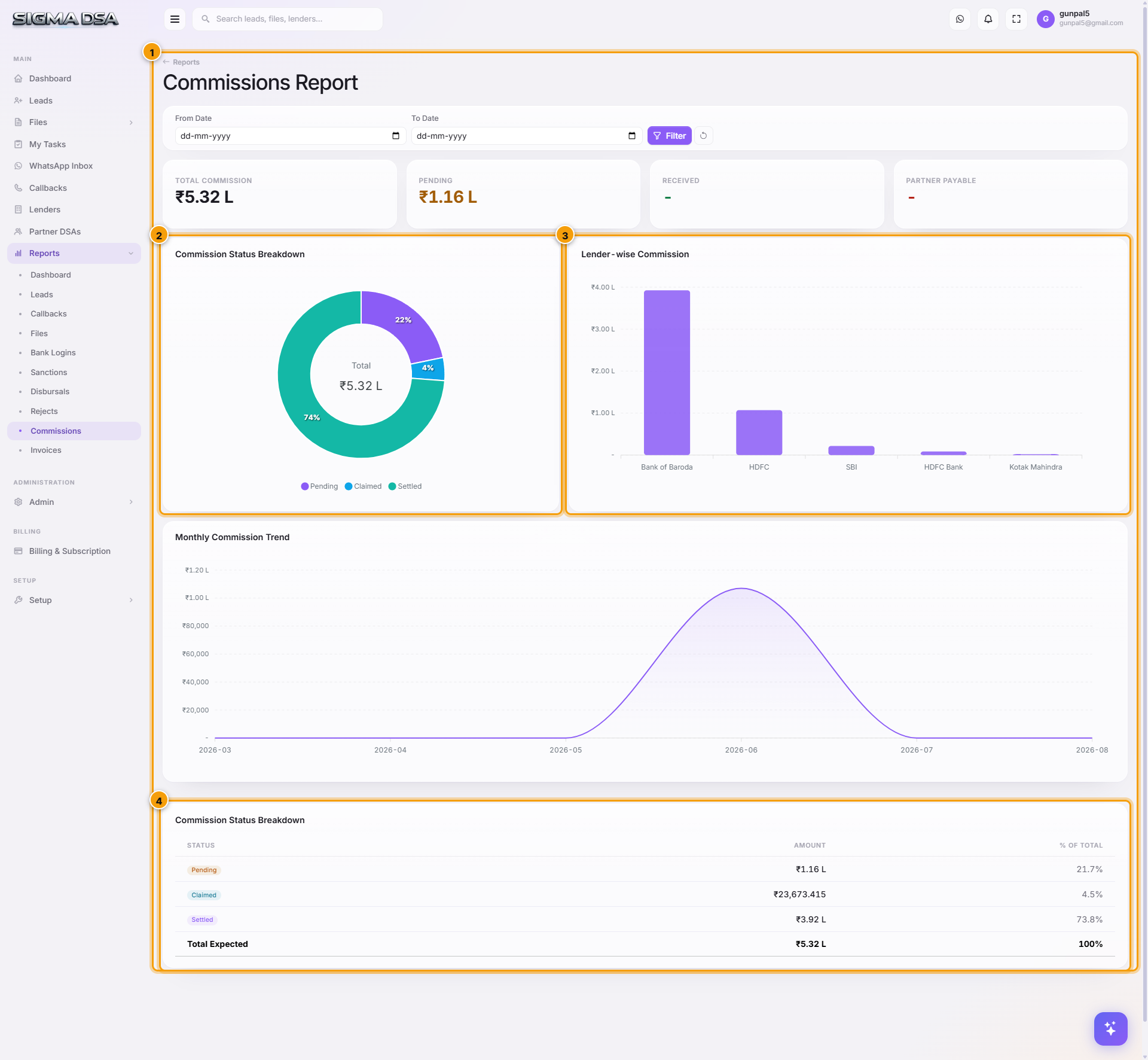
What's on the report
- KPI cards — total earned ₹, pending ₹, claimed ₹, settled ₹.
- Status donut — Pending / Claimed / Settled.
- Per-lender split — earned ₹ + status mix per lender.
- Aging — how long pending commissions have been pending (30 / 60 / 90+ days).
- Per-product split — Home Loan vs Personal vs Business commission contribution.
- Partner DSA payouts — what you owe connectors vs what they've been paid.
- Commission table — exportable, per-file with disbursal date, claim status, paid date.
Statuses explained
| Status | Meaning |
|---|---|
| Pending | Disbursal recorded, but commission hasn't been claimed yet (invoice not raised). |
| Claimed | Invoice raised to the lender, awaiting payment. |
| Settled | Money received in your account. |
Common flows
- Monthly P&L close — total settled ₹ for the period = recognised revenue.
- Aging follow-up — pending > 60 days = chase the lender's payouts team.
- Partner reconciliation — partner DSA payouts section drives the per-partner payout statement; mark Paid as you wire money out.
- Lender concentration risk — per-lender split highlights over-reliance on any single bank.
How commissions are computed
When a disbursal is recorded, SigmaDSA computes:
Commission ₹ = Disbursed Amount × Commission %
The Commission % comes from the lender's Product slab (configured under Lenders → Manage Products). Per-file overrides on the Disbursal modal take precedence over the default slab.
Partner DSA payouts are computed as:
Partner Payout = Commission ₹ × Partner Default Split %
Override per file on the Disbursal modal's Partner DSA Payout block.
Next steps
Rejects Report
Rejected files analysis — rejection volume, category breakdown, per-lender rejection rate, salvage opportunities.
Admin
The SigmaDSA Admin section — Users, Roles, Loan Types, Lead Sources, Document Types, Notifications, WhatsApp Setup, Telegram Bots, Webhooks. Tenant-level configuration controlled by admin users.