Reports
Login Files Report
Files logged in with lenders — submission volume per lender, query-response time, average time from login to sanction, and stuck-login detection.
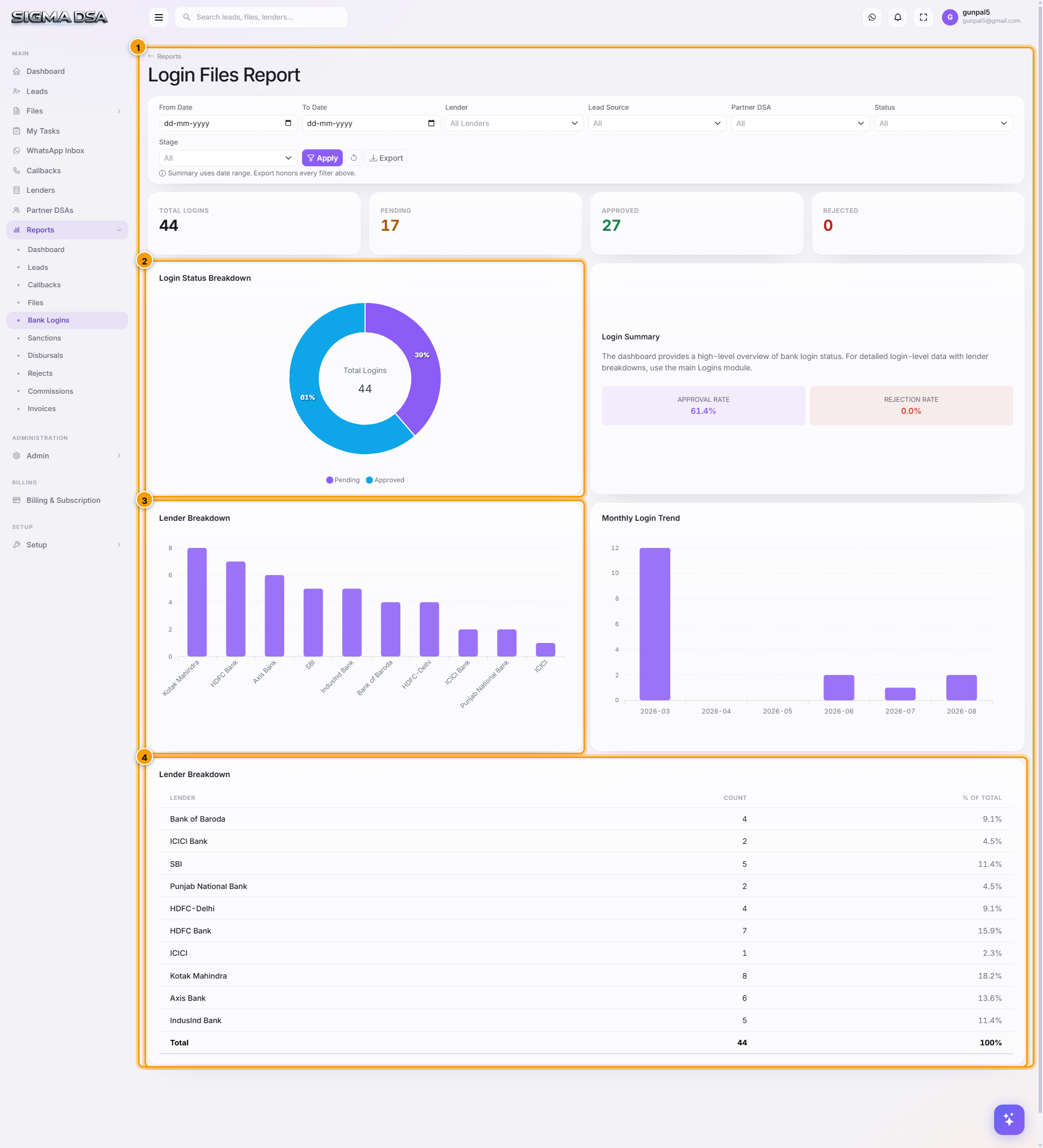
The Login Files Report focuses on the bank-side leg of the workflow — every active Bank Login row across every file, with metrics on submission velocity, lender turn-around, and where things are stalling.
What's on the report
- KPI cards — total active logins, query-raised count, average days at lender, % moved to sanction.
- Per-lender submission volume — bar chart of bank logins by lender.
- Status mix — donut by login status (Submitted / Under Process / Query Raised / Credit Approved / Sanction Issued / Rejected).
- Aging per lender — average days a file sits with each lender before status change.
- Stuck logins — files where status hasn't changed in N days.
- Login table — exportable, with file, lender, applied amount, login date, status, RM.
Common flows
- Lender SLA tracking — sort aging per lender → identify slow banks and renegotiate or de-prioritise.
- Query-response chase — filter to Query Raised → call each RM to clear the query.
- Submission throughput — track per-lender bar chart month-over-month to spot declining tie-ups.
Next steps
Files Report
Loan files and stage-wise analysis — pipeline distribution, aging by stage, owner performance, and stuck-file identification.
Sanctions Report
Approved sanctions and amounts — sanctioned volume per lender, average sanctioned-to-requested ratio, ROI/tenure distribution, and time-from-login.