Reports
Files Report
Loan files and stage-wise analysis — pipeline distribution, aging by stage, owner performance, and stuck-file identification.
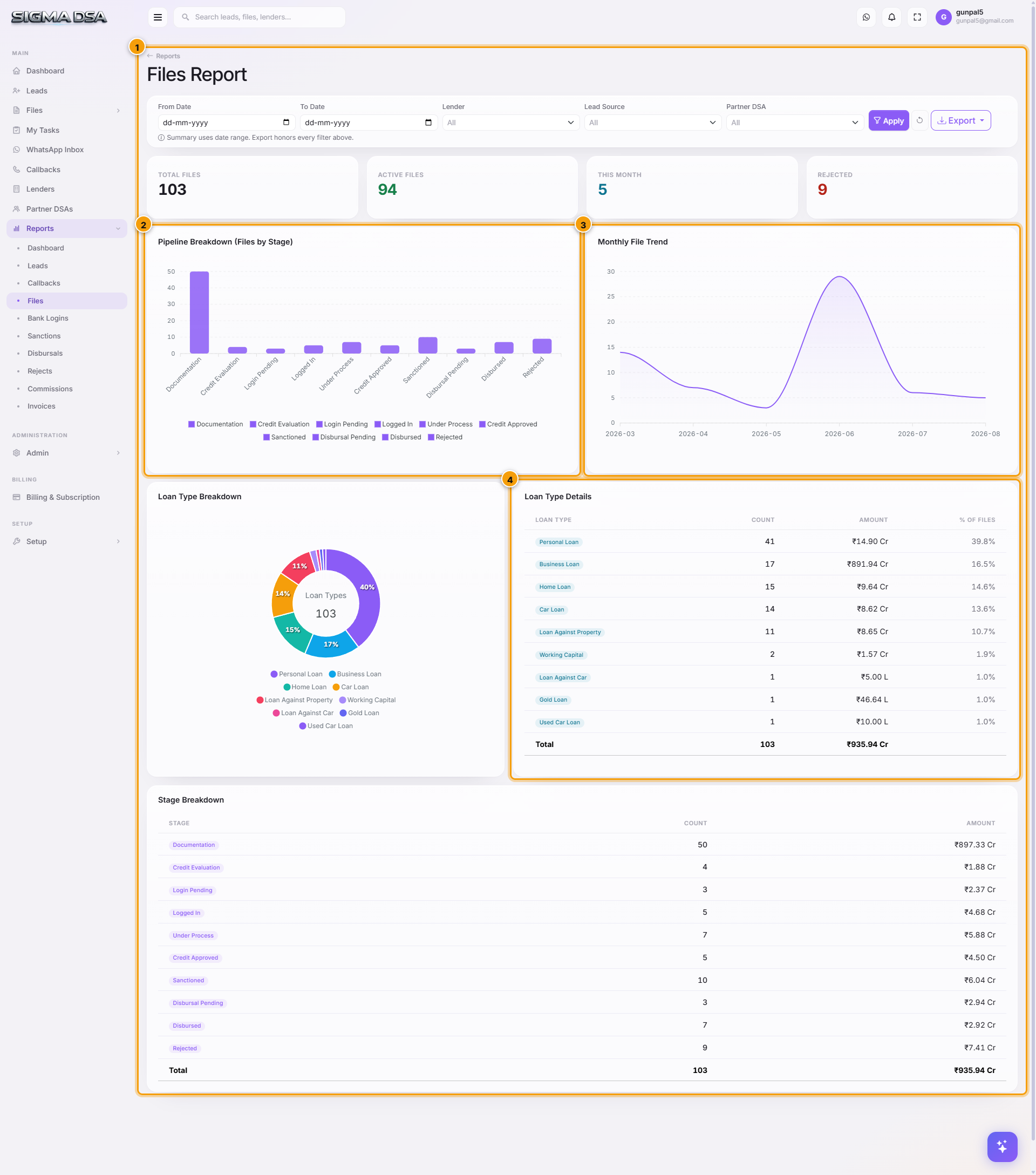
The Files Report is the operations supervisor's view — pipeline distribution across stages, aging by stage, per-owner workload, and the all-important stuck files list.
What's on the report
- KPI cards — total active files, files this month, sanctioned this month, disbursed this month.
- Pipeline distribution — donut by current stage.
- Aging by stage — average days files have been at each stage. Spike at any stage = process bottleneck.
- Owner workload — file count per owner.
- Stuck files list — files whose stage hasn't changed in N days (configurable per tenant, default 7 days).
- File table — filterable by stage, status, owner, lender, loan type. Exportable.
Common flows
- Monday stand-up — open the Aging by Stage chart → identify which stage has the longest average aging → discuss what's blocking those files.
- Reassignment trigger — owner workload chart shows lopsided distribution → reassign files from over-loaded to under-loaded owners.
- Stuck-file recovery — review the stuck-files list weekly; either escalate or reject + capture reason.
Next steps
Callbacks Report
Callback status and follow-up tracking — pending vs missed vs completed, per-user performance, overdue queue, callback-to-conversion ratio.
Login Files Report
Files logged in with lenders — submission volume per lender, query-response time, average time from login to sanction, and stuck-login detection.