Reports
Leads Report
Lead pipeline and conversion analysis — leads by source, status distribution, conversion funnel, and aging by stage.
The Leads Report turns the raw lead stream into pipeline insights — where leads come from, where they stall, and what % convert to files.
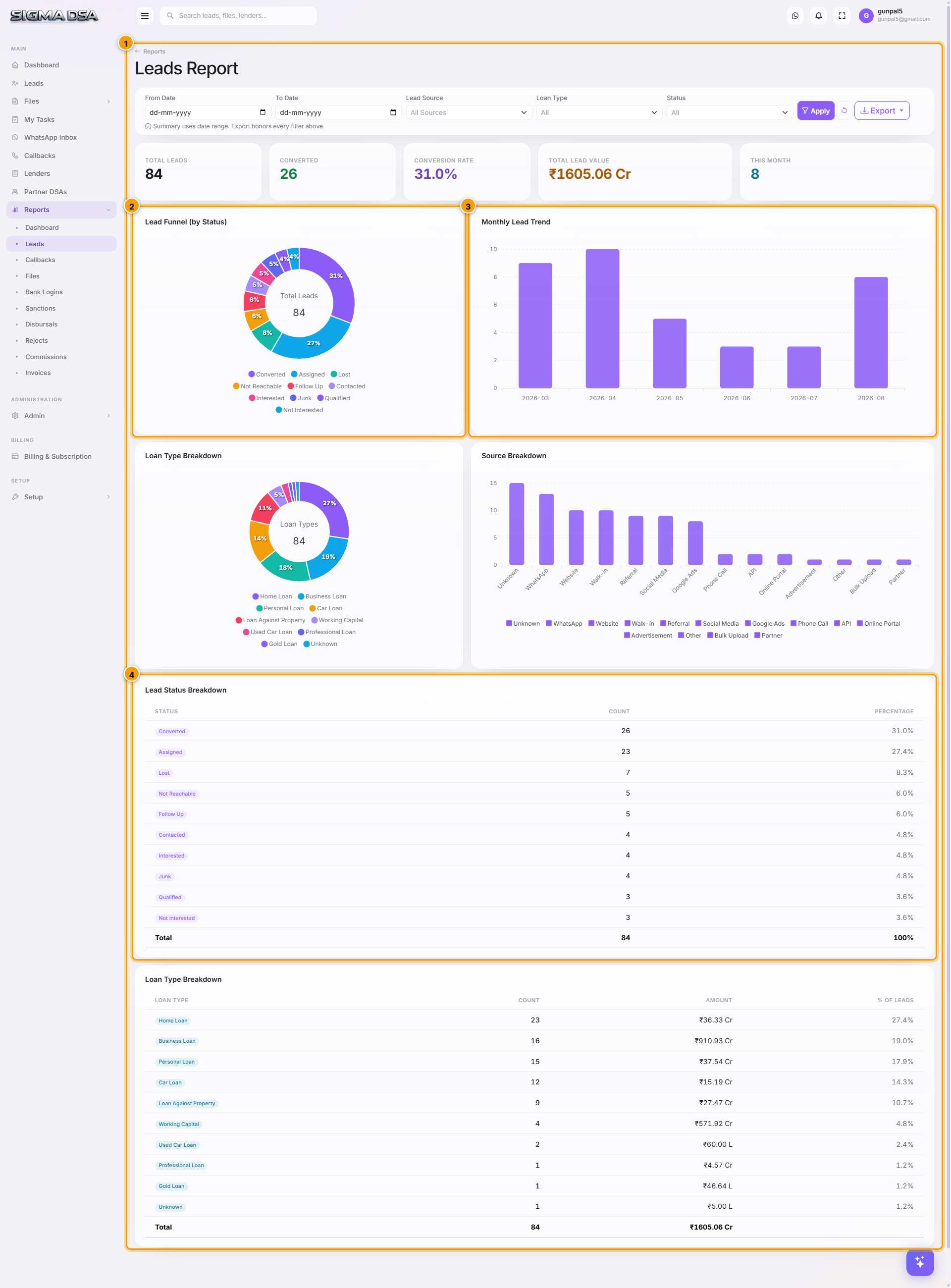
What's on the report
- KPI cards — total leads, new this month, converted, drop-off rate.
- Status distribution — donut chart by Lead Status (New / Contacted / Interested / Converted / Lost).
- Source breakdown — bar chart by Lead Source (Web, WhatsApp, Direct, Partner, etc.).
- Loan type split — leads grouped by requested product.
- Conversion funnel — visualises drop-off at each step (New → Contacted → Interested → Converted).
- Aging by status — average days a lead spends in each status before moving (or dying).
- Owner performance — leads converted per user.
- Lead table — every lead with filters (date range, source, owner, status). Exportable.
Common flows
- Monthly source ROI — filter by date range = last month, group by source → divide total commission earned (from Commissions Report) by source to compute ROI per source.
- Stalled-lead cleanup — sort by aging desc → leads in Contacted for > 30 days are decay risk; reassign or close.
- Top-converter recognition — owner-performance widget identifies who's converting best; share back as best-practice.
Next steps
Reports Dashboard
The SigmaDSA Reports Dashboard — top-line KPIs, monthly trends, file pipeline, lender performance, commission breakdown, plus quick links to eight detailed reports.
Callbacks Report
Callback status and follow-up tracking — pending vs missed vs completed, per-user performance, overdue queue, callback-to-conversion ratio.