Roles
Create reusable permission bundles in SigmaDSA — Sales, Operations, Manager, Admin. Set roles as Public so they appear in the user-assignment dropdown. Bulk-edit permissions at the role level instead of per-user.
A Role in SigmaDSA is a named bundle of permissions — Sales, Operations, Manager, Admin, etc. Assign a role to a user and they inherit every permission the role has. Manage permissions at the role level, not per-user — it's the single biggest time-saver in user admin.
Create a role
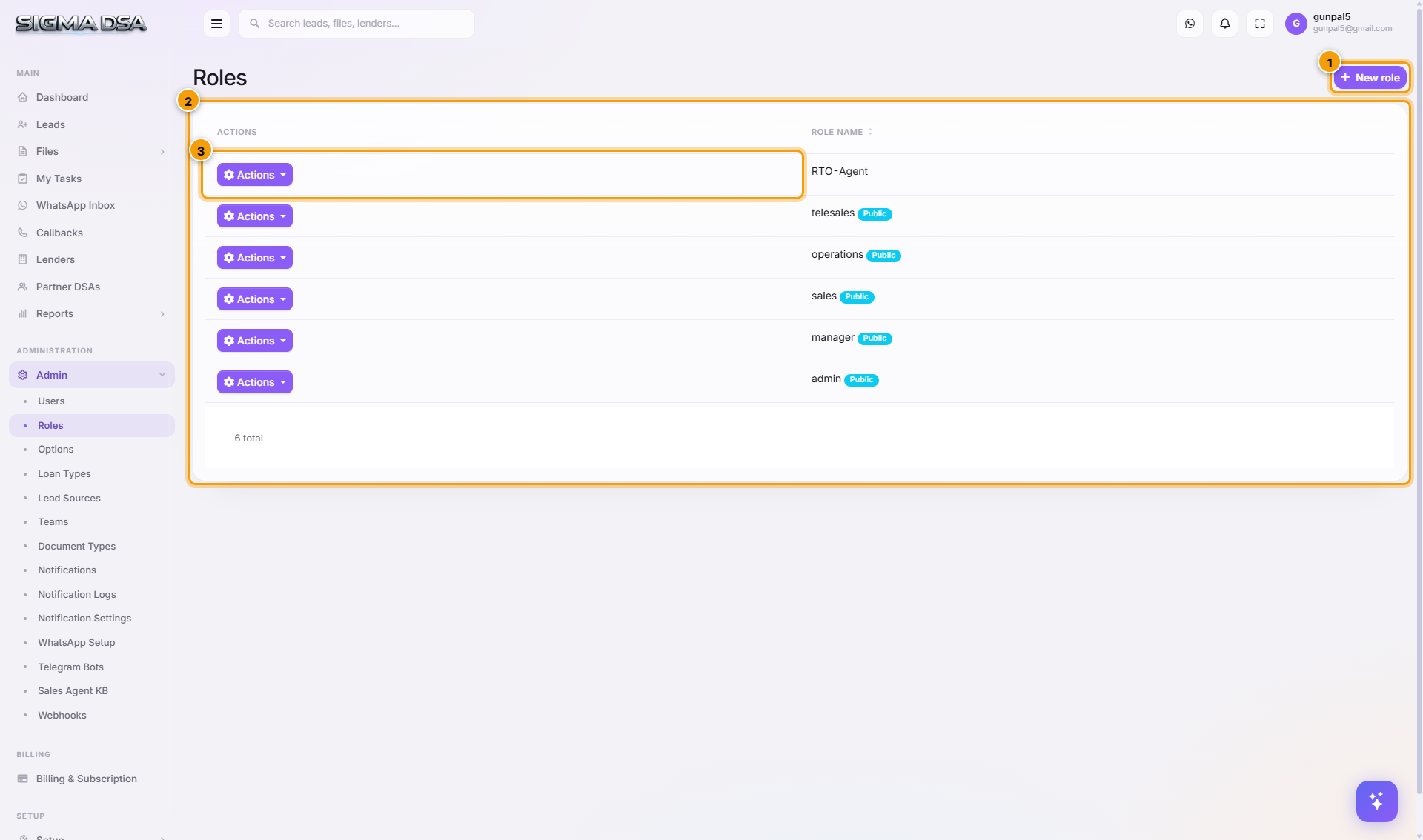
Click New role
Top-right of the page. The New Role modal opens.
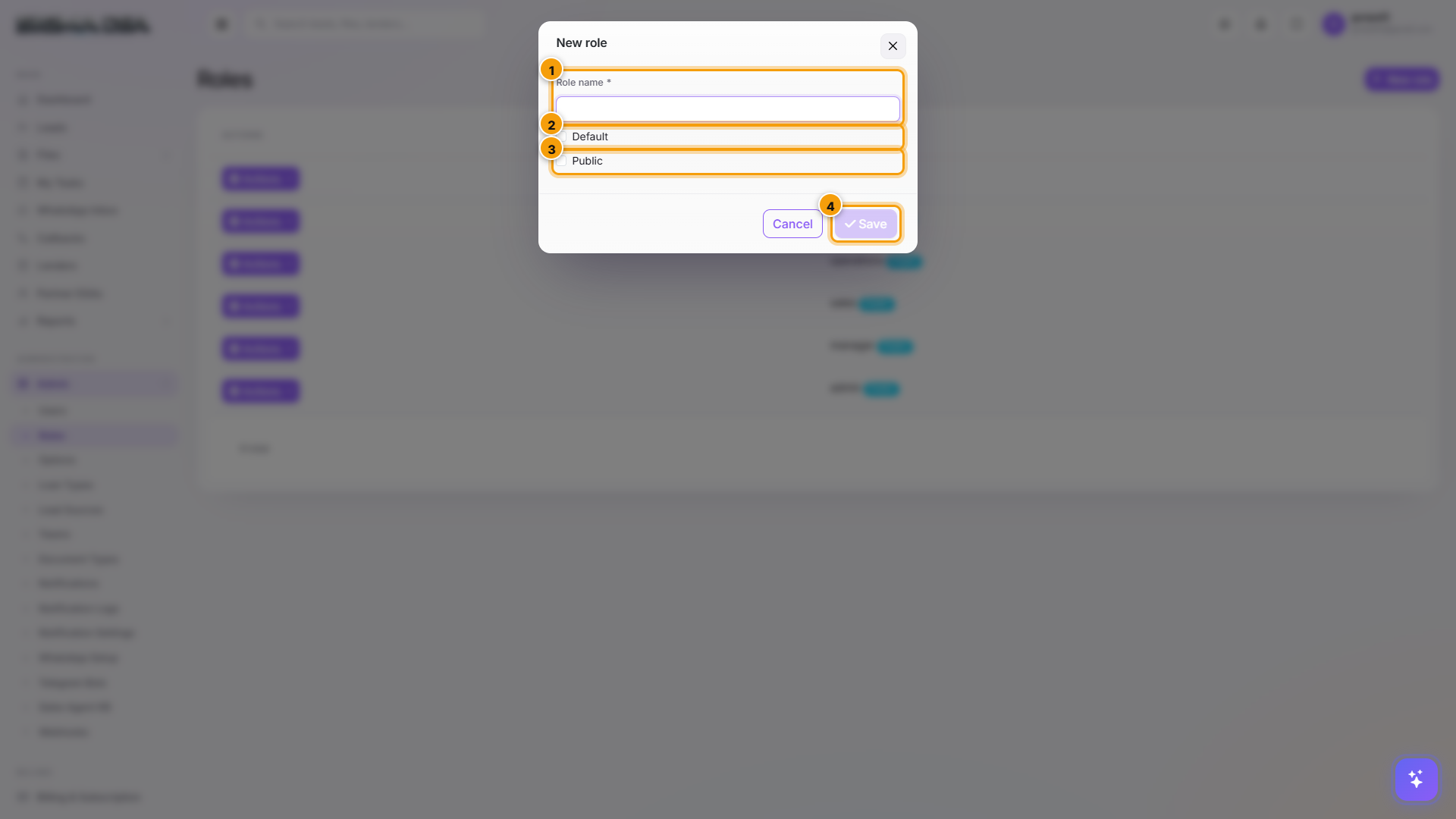
Name the role and tick Public
| Field | What to set |
|---|---|
| Role name | Descriptive name. Common values: sales, operations, manager, tele-sales, rto-agent. Lowercase, no spaces. |
| Default | Off normally. Only check if every new user should inherit this role automatically at signup. |
| Public | Always check Public unless you have a specific reason not to. Non-public roles are hidden from the user-assignment dropdown — useful for system roles, but if you want to assign the role to users, it must be Public. |
Reminder: Tick Public so the role shows in the Users → Roles tab. A role that isn't Public is invisible at assignment time.
Click Save — then grant permissions
Saving creates the role with zero permissions by default. Next step: open the row's Actions → Permissions to grant what the role should be able to do.
Grant permissions to a role
This is the high-leverage operation — set permissions once at the role level, every user with the role inherits them.
Open Permissions on the role row
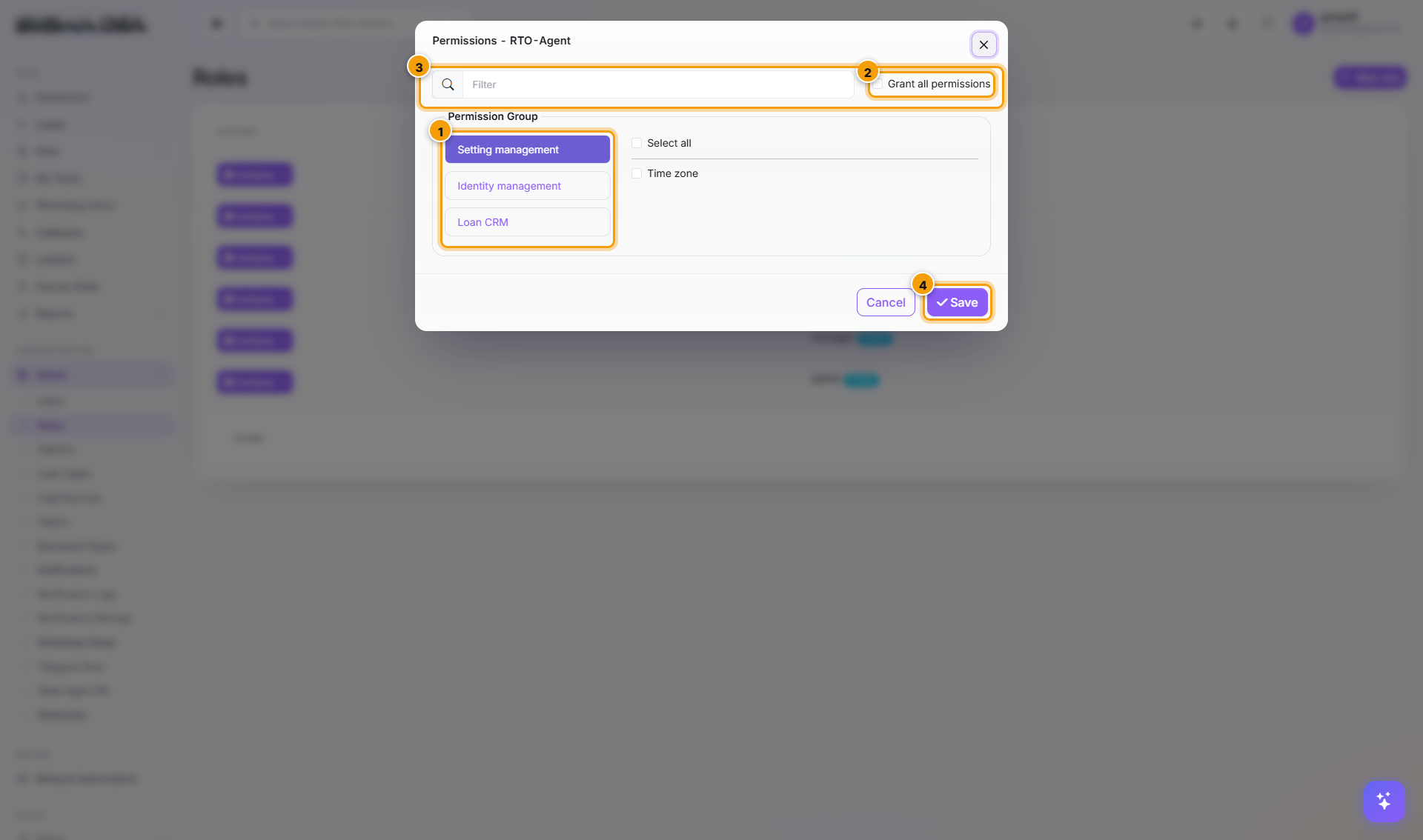
From the role row's Actions menu, click Permissions. The Permissions modal opens with three tabs on the left.
Tabs explained
| Tab | What it grants |
|---|---|
| Setting management | Tenant-level settings — branding, email accounts, integrations. |
| Identity management | Users + Roles + Permissions admin. Usually only the admin / manager roles should have this. |
| Loan CRM | 98 product permissions across Leads, Files, Bank Logins, Sanctions, Disbursals, Documents, Reports, Lenders, Partners. The main one. |
Inside Loan CRM, pick the permission tree
Permissions are grouped: Lead Management, File Management, Bank Login Management, Sanction Management, Disbursal Management, Document Management, Lender Management, Partner DSA Management, Reports, etc. Each group expands to per-action checkboxes:
- Default (view-only on most resources).
- Create.
- Update / Edit.
- Delete.
- ViewAll — see records owned by other users (without it you only see your own).
- Assign — reassign records to other users.
- Export — export to Excel.
Check parent nodes to grant everything in a group, or expand and pick specific actions.
Click Save
Permissions apply immediately to every user with this role. They may need to log out and back in to see UI changes (the in-memory token caches permissions for the session length, ~1 hour).
Suggested role permission matrix
| Permission group | sales | operations | manager | admin |
|---|---|---|---|---|
| Leads — Create / Update / View own | ✓ | ✓ | ✓ | ✓ |
| Leads — ViewAll / Assign | — | — | ✓ | ✓ |
| Files — Create / Update / View own | ✓ | ✓ | ✓ | ✓ |
| Files — ViewAll / Assign | — | ✓ | ✓ | ✓ |
| Bank Logins / Sanctions / Disbursals | — | ✓ | ✓ | ✓ |
| Lenders — Manage | — | — | ✓ | ✓ |
| Partners — Manage | — | — | ✓ | ✓ |
| Reports — View | — | — | ✓ | ✓ |
| Reports — Export | — | — | — | ✓ |
| Identity — Users / Roles | — | — | — | ✓ |
| Settings | — | — | — | ✓ |
Adjust to match your team's structure.
Edit / Delete a role
From the row's Actions:
- Edit — rename, toggle Public / Default.
- Permissions — adjust what the role can do.
- Delete — only allowed if no users are assigned to the role. Reassign or remove users first.
The built-in admin role can't be deleted or have its permissions reduced via the UI — it's the always-allowed superuser.
Common flows
- New role for a specialised team — e.g., RTO Agents who only need limited file access → New role → name "rto-agent" → Public ✓ → Save → Permissions → tick Files (Default + Update, no Create/Delete) → Save.
- Drop a permission temporarily — e.g., tighten up Export access → edit the role's Permissions → uncheck Export → Save. Users in that role immediately lose Export.
- Audit role bloat — open each role's Permissions → review what's checked vs what's actually needed. Roles often accumulate permissions during launch chaos; pruning is healthy.
Next steps
Users
Create and manage SigmaDSA user accounts — username, password, profile, role assignment, and per-user permission overrides. Permissions guide for lockout, deactivation, and role inheritance.
Teams
Group users into teams in SigmaDSA and let auto case assignment route new leads to the right team instead of a single pool.