Loan Types
Manage the loan product catalogue in SigmaDSA — Personal Loan, Home Loan, Business Loan, LAP, etc. Each loan type has its own code, display order, icon, color, and category that drives the entire workflow.
The Loan Types page (/settings/loan-types) is your product catalogue — every loan product your DSA offers. Each entry drives the file workflow, the loan-type dropdowns on lead/file creation, and the per-product reports.
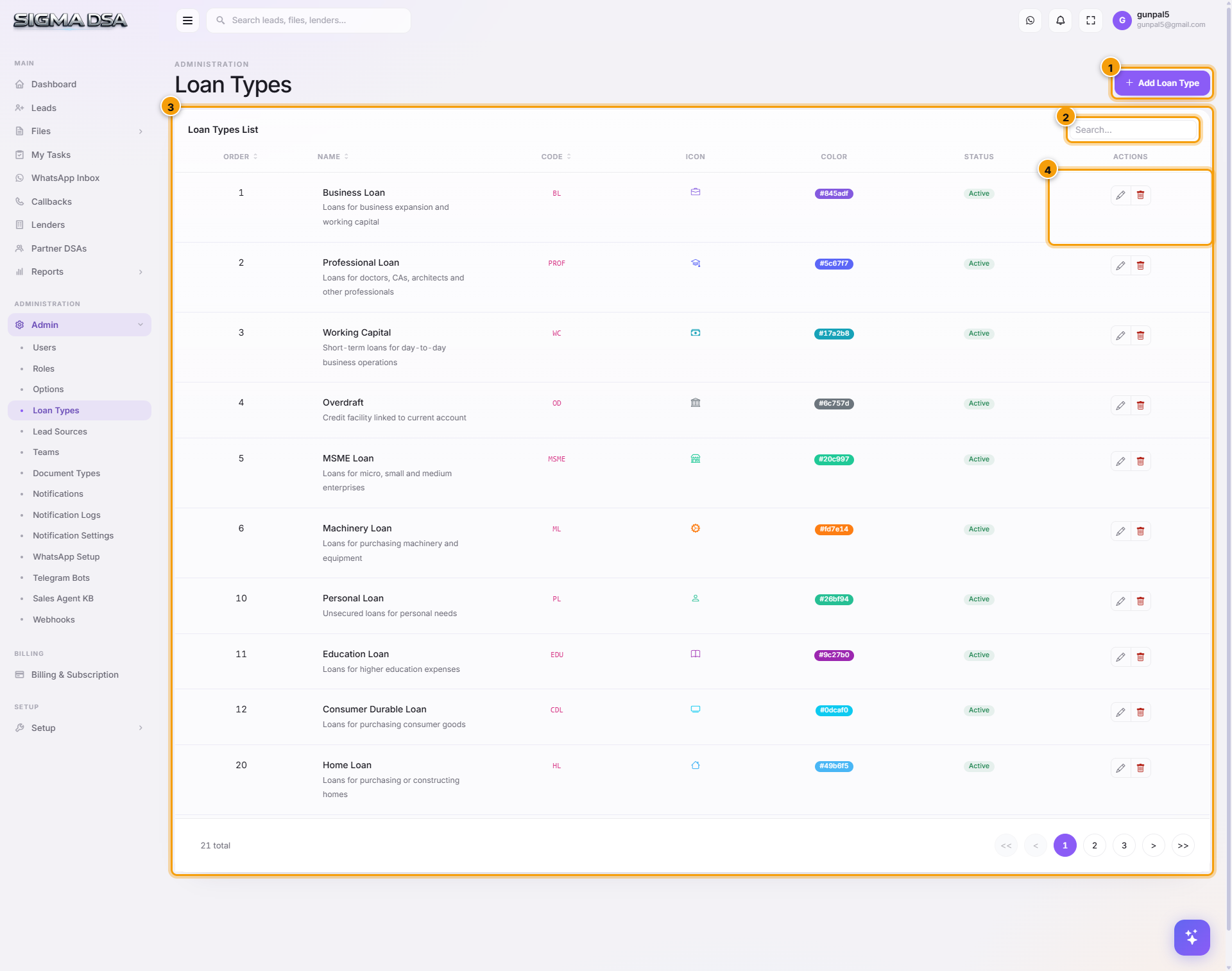
Add a loan type
Click Add Loan Type
Top-right of the page. A centred modal opens.
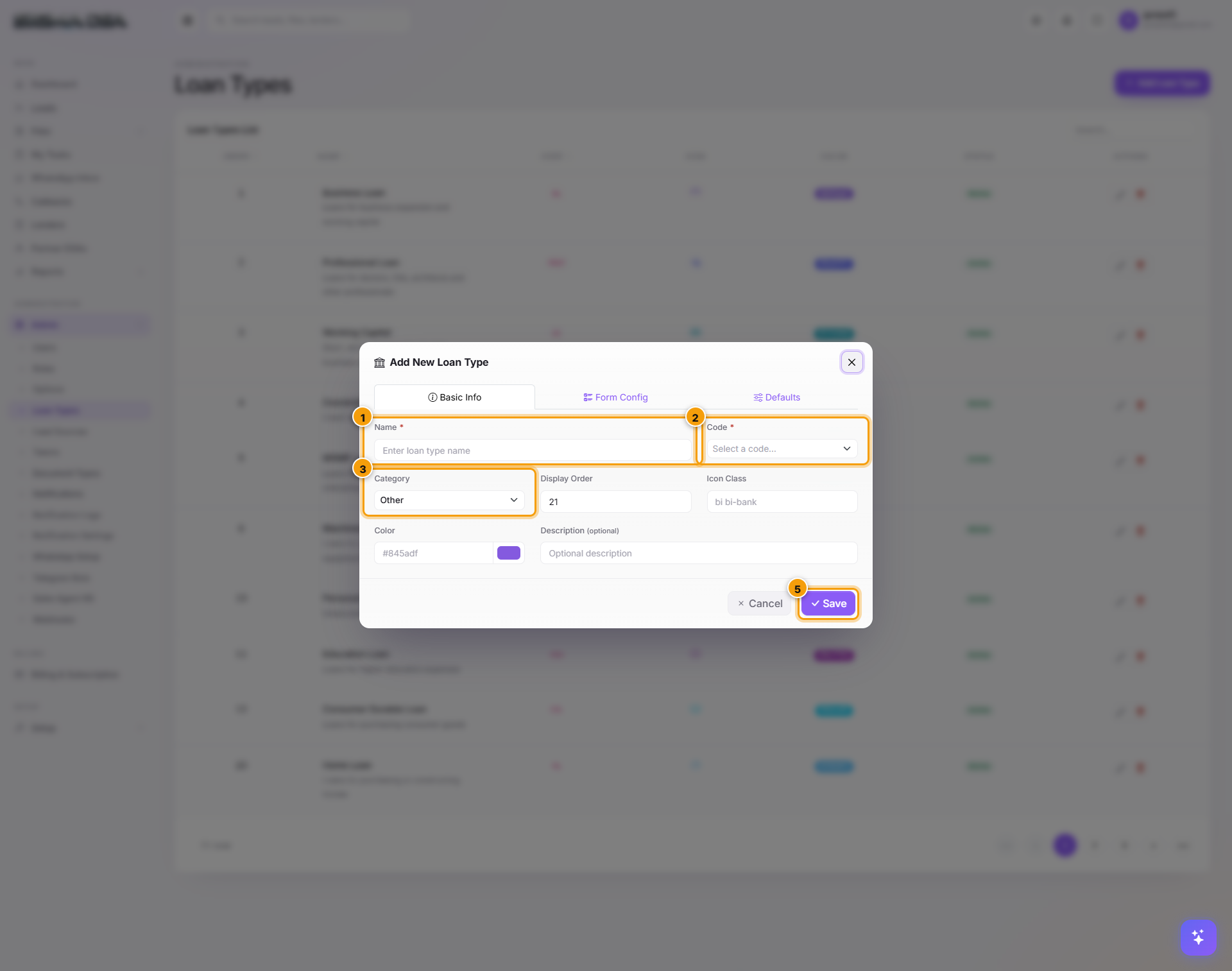
Fill the fields
| # | Field | What to enter |
|---|---|---|
| 1 | Name | Display name (e.g., "Home Loan"). Required. Shown everywhere the loan type appears. |
| 1 | Code | Short identifier (e.g., HL, PL, BL). Required. Used internally for lender matching. |
| 2 | Category | Personal / Home / Business / Mortgage / Car. Drives the Files dashboard tab strip. |
| 2 | Display Order | Lower numbers appear first in dropdowns. Use 1–5 for high-volume products. |
| 2 | Icon Class | Bootstrap Icons class (e.g., bi-house, bi-car-front). Shows next to the name. |
| 3 | Color | Hex color (e.g., #0ea5e9). Used for the badge background on file rows. |
| 3 | Description | Free-text explanation. Shown in the loan-type tooltip. |
Click Save
The loan type lands on the list with status Active. It appears immediately in:
- New Lead modal → Loan Type dropdown
- Create File form → Loan Type dropdown
- Files dashboard → loan-type tabs (if a Category is set)
- Per-lender Products configuration
Edit / Deactivate
Each row's Actions menu:
- Edit — adjust name, code, category, color, etc.
- Activate / Deactivate — toggle without deleting.
- Delete — only allowed if no leads or files reference the loan type.
Suggested setup
| Product line | Typical loan types |
|---|---|
| Retail Lending | Personal Loan, Home Loan, LAP Residential, Car Loan, Two-Wheeler Loan, Education Loan |
| SME / Business | Business Loan – Unsecured, Working Capital, MSME Loan, Professional Loan, Machinery Loan, Overdraft |
| Niche | Used Car Loan, Used CV Loan, Plot Loan, Home Extension Loan, Balance Transfer, Gold Loan |
The default catalogue covers most DSA panels. Add new types only when your tie-up offers a product not in the default list.
Permission gating
Adding/editing/deleting loan types requires LoanCRM.LoanTypes.* permissions. Default granted only to the admin role.
Next steps
Teams
Group users into teams in SigmaDSA and let auto case assignment route new leads to the right team instead of a single pool.
Lead Sources
Configure the channels leads come into SigmaDSA from — Walk-in, Referral, Phone Call, Web Form, WhatsApp, partner names, etc. Drives the Source filter on the Leads board and the per-source ROI reports.