Webhooks & API keys
Push leads into SigmaDSA from your website, landing pages or ad platforms — webhook endpoints for creating leads and logging call attempts, secured with an API key.
Webhooks & API Keys lets other systems put leads into SigmaDSA directly. If leads currently arrive by email or WhatsApp and someone retypes them, this is how you stop that.
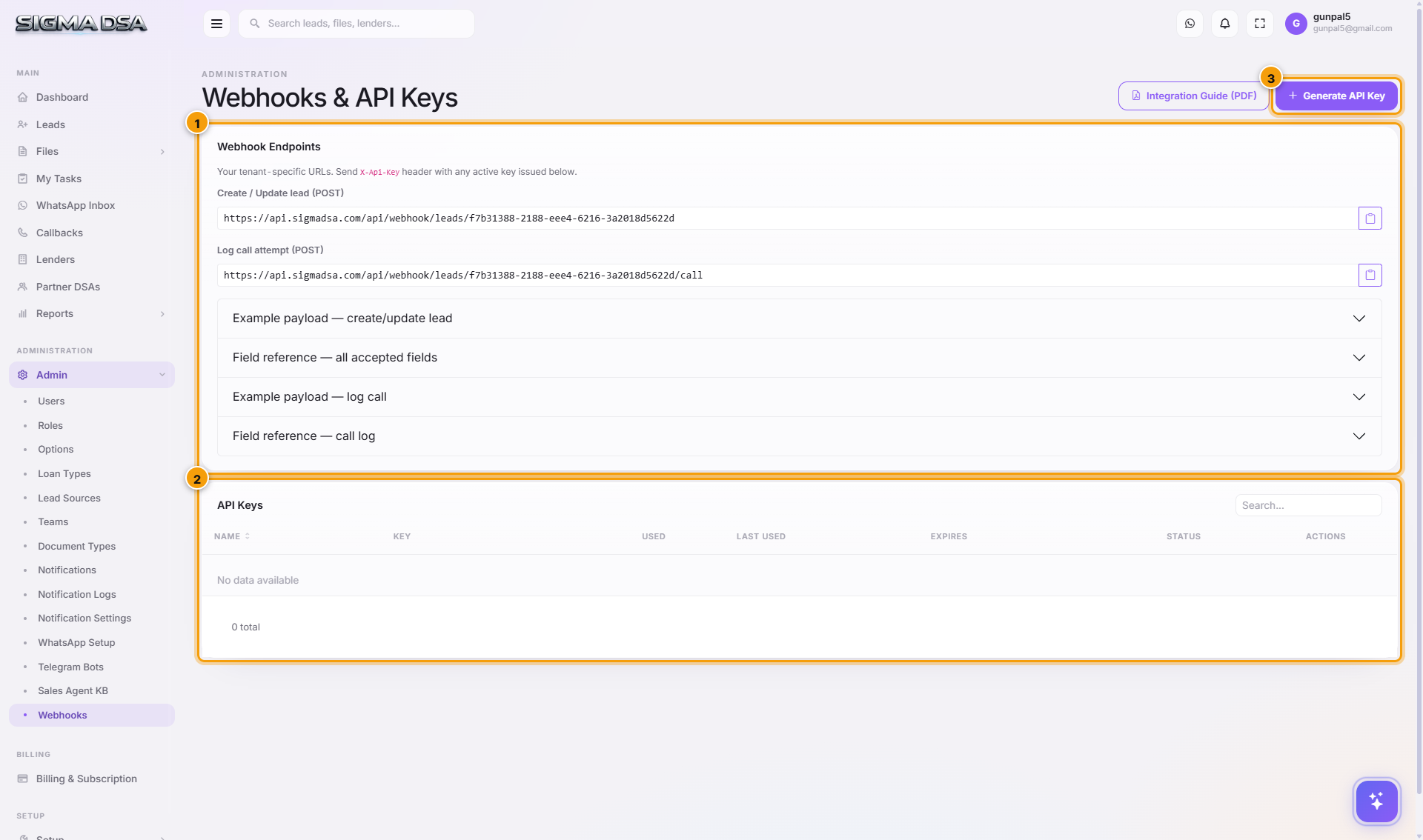
The endpoints
| Endpoint | What it does |
|---|---|
| Create / Update lead (POST) | Creates a lead, or updates the existing one when the phone number already exists — so re-posting doesn't produce duplicates. |
| Log call attempt (POST) | Records a call against a lead. For diallers and call-centre tooling that should write activity back into the CRM. |
Each endpoint has an example payload and a field reference on the page, and there's an Integration Guide (PDF) to hand your developer.
API keys
Generate API Key issues the credential the endpoints authenticate with.
The key acts as your tenant. Keep it server-side — a form backend, an integration platform's credential store, your own API. Never put it in front-end JavaScript, where any visitor can read it.
Typical setups
- Website contact form → your form backend posts to the create-lead endpoint → the lead appears in Leads and is auto-assigned.
- Landing page or ad platform → connected through Zapier/Make → same endpoint.
- Dialler → posts call attempts so activity lands on the lead without anyone logging it.
Leads arriving this way behave like any other: auto-assignment, notifications, and the AI Employee's follow-up all apply. Set the lead source in the payload and your source reporting stays honest.
Next steps
- Lead sources — attributing what arrives
- Options — auto-assignment for incoming leads
- Public website — the built-in site already posts leads for you
Sales Agent knowledge base
The knowledge base your SigmaDSA AI Employee answers from — products, rates, eligibility and process, in your own words, with an AI generator to draft the first version.
Options
Tenant-wide behaviour switches in SigmaDSA — which documents get AI extraction, how leads are auto-assigned, which leads are hidden by default, and when WhatsApp reminders go out.