Sanctions list
The company-wide Sanctions page in SigmaDSA — every sanction letter received across all files, with sanction status, decline reasons and per-lender attribution.
The Sanctions page lists every sanction letter your team has received, across every file. Use it to see what is approved and waiting to disburse, and which lenders are actually saying yes.
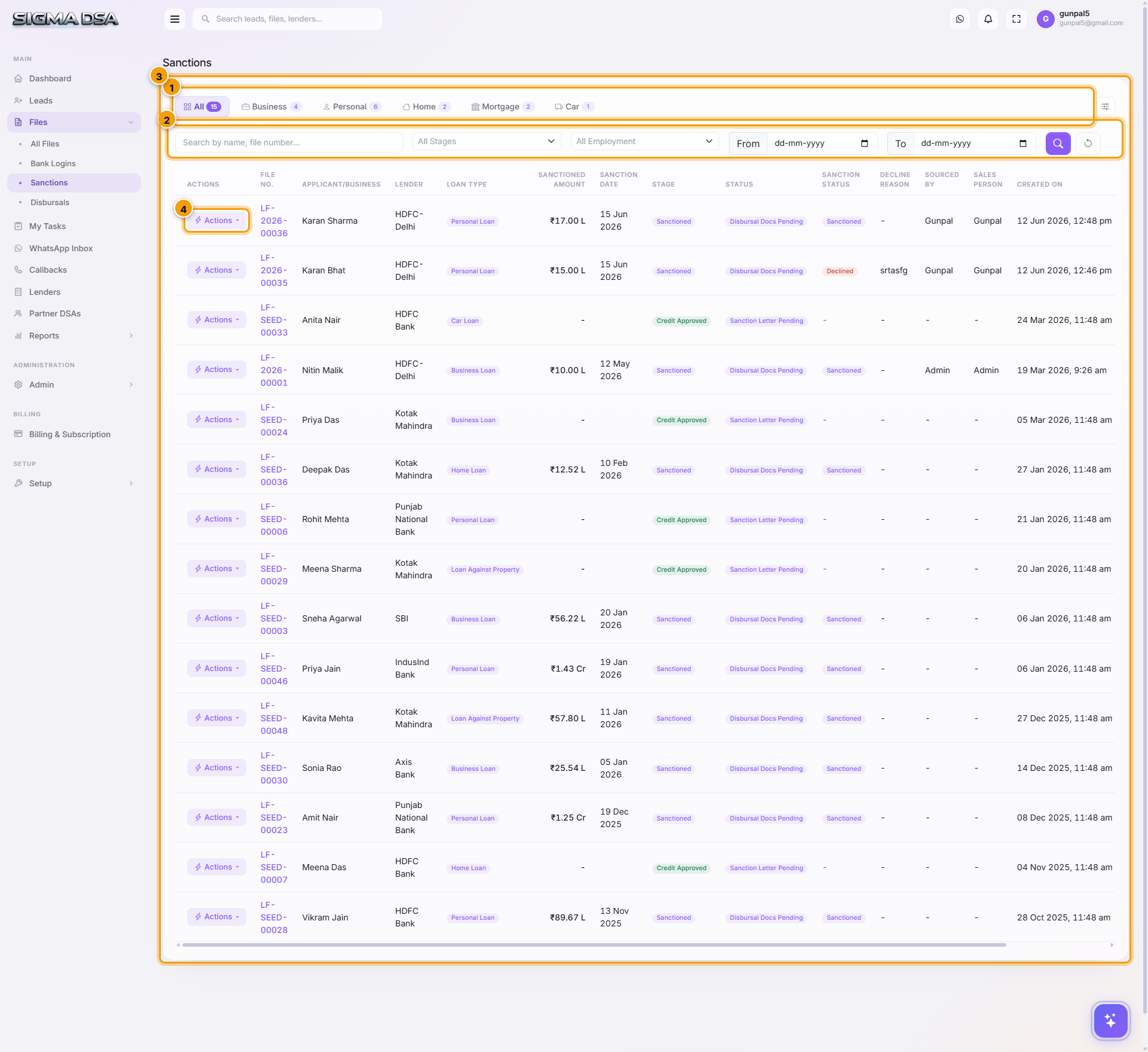
What's on the page
- Loan-type tabs — All, Business, Personal, Home, Mortgage, Car, with counts.
- Filters — by stage and employment type.
- The table — File No., applicant or business, Lender, loan type, Sanctioned Amount, Sanction Date, stage, status, Sanction Status, Decline Reason, attribution, created date.
- Actions — per-row menu into the file and its workflow.
Status vs Sanction Status
Two different questions, two columns:
- Status — where the loan file is.
- Sanction Status — what happened to the sanction: accepted and heading for disbursal, declined, or still awaiting the customer's decision.
Decline Reason captures why a sanction wasn't taken up. Read down that column and you learn which lenders produce sanctions that convert and which produce paper.
Recording a sanction
Sanctions are recorded on the file, not here — via Actions → Record Sanction on the file detail page, or Create from Letter, which reads the sanction letter PDF and fills the form for you. Both are covered in Sanctions and disbursals.
Next steps
- Sanctions and disbursals — recording one
- Disbursals list
- Sanctions report — trend and per-lender split
Track sanctions and disbursals
How to record sanction letters, accept the best offer, capture pre-disbursal conditions, and log disbursals (with PF, GST, commission) on a SigmaDSA loan file.
Disbursals list
The company-wide Disbursals page in SigmaDSA — every disbursal across all files with sanctioned versus disbursed amounts, dates and attribution.