Disbursals list
The company-wide Disbursals page in SigmaDSA — every disbursal across all files with sanctioned versus disbursed amounts, dates and attribution.
The Disbursals page lists every disbursal event across every file — the closest thing SigmaDSA has to a running record of money actually moving.
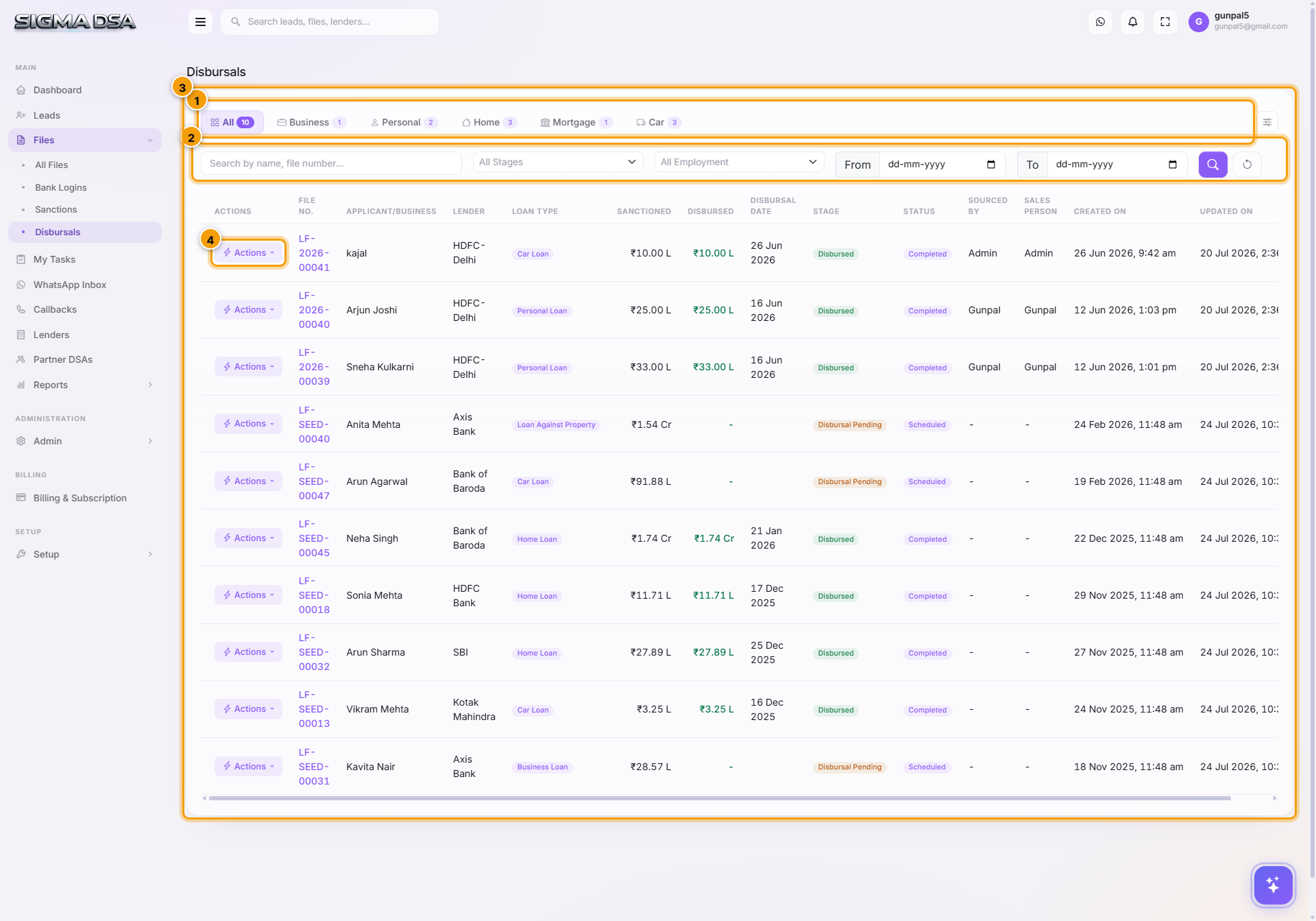
What's on the page
- Loan-type tabs — All, Business, Personal, Home, Mortgage, Car, with counts.
- Filters — by stage and employment type.
- The table — File No., applicant or business, Lender, loan type, Sanctioned, Disbursed, Disbursal Date, stage, status, attribution, created and updated dates.
- Actions — per-row menu into the file and its workflow.
Sanctioned vs Disbursed
The two amount columns sit next to each other because they are frequently different: part-disbursals, a reduced final amount, fees deducted at source. That gap is the number your commission is actually calculated on, so it is worth scanning rather than assuming.
A file disbursed in tranches appears once per tranche — each disbursal event is its own row.
Recording a disbursal
Disbursals are recorded on the file: Actions → Record Disbursal, against the sanction being drawn on. The modal captures the amount, date, mode, UTR, fees and the lender commission — see Sanctions and disbursals.
Next steps
- Sanctions and disbursals — recording one
- Disbursals report — monthly trend and per-lender split
- Commissions report — what you have earned and what is pending
Sanctions list
The company-wide Sanctions page in SigmaDSA — every sanction letter received across all files, with sanction status, decline reasons and per-lender attribution.
Change stage, status, or reject a file
How loan files move through stages in SigmaDSA — automatic stage transitions, manual override, within-stage status changes, and the Reject flow with reason capture.