Verification checks
Per-lender verification checklists in SigmaDSA — define the checks a bank expects once on the lender record, then tick them off Done or Pending on every login, with progress visible on the Bank Logins queue.
Every lender wants something slightly different before a file is logged in — one wants the property papers vetted, another wants an employer verification call, a third wants the co-applicant's PAN. Verification checks turn that per-lender ritual into a checklist your whole team can see.
You define the checks once on the lender, and every login to that lender is seeded with them automatically.
Set the checks up on the lender
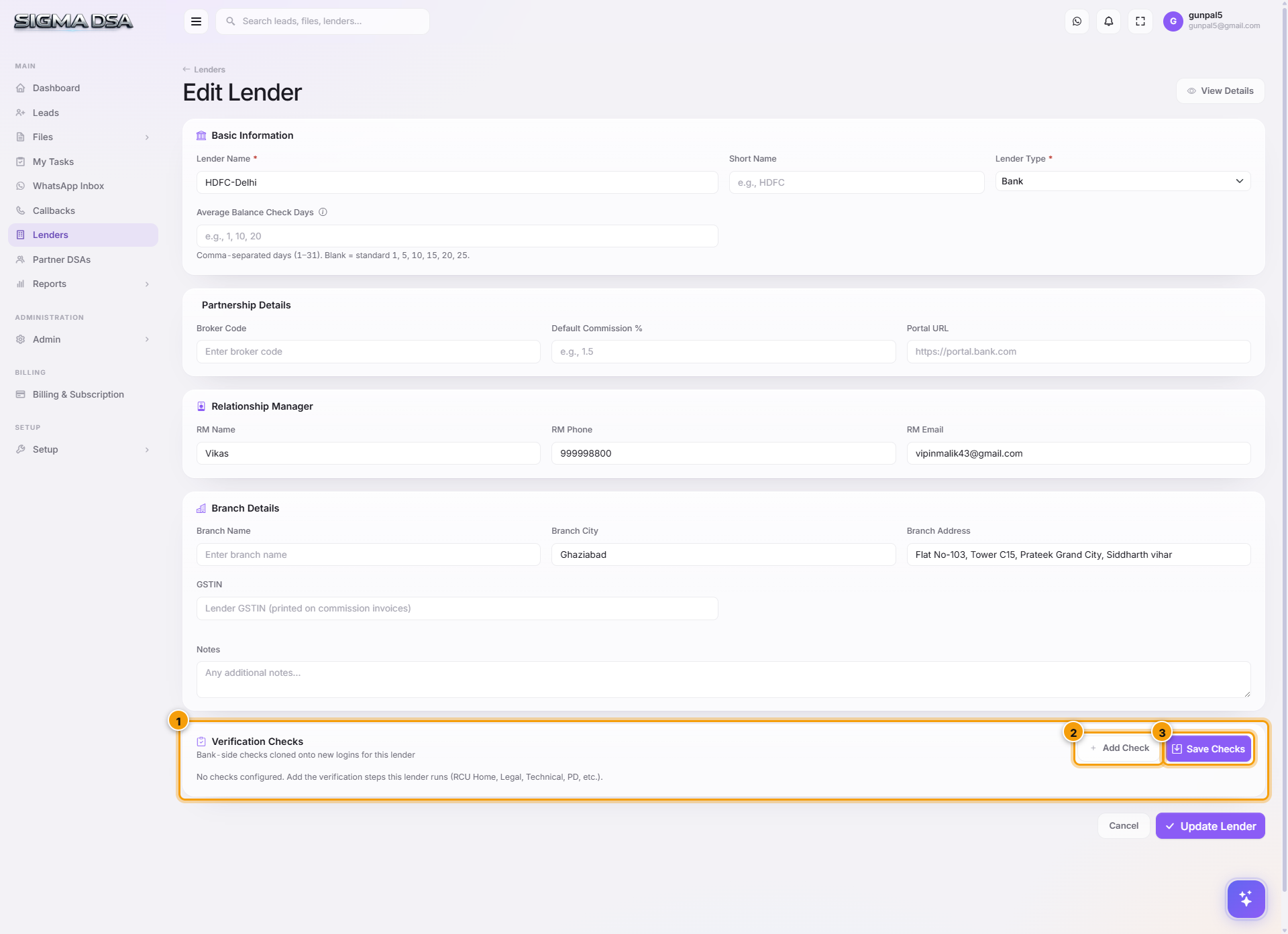
Open Lenders, then Actions → Edit Lender on the lender you want. The Verification Checks card is at the bottom of the edit page — it only appears in edit mode, not while creating a lender.
Add a check
Click Add Check and type what the bank asks for — "Property papers vetted", "Employer verification call", "Co-applicant PAN". A code is generated for you; you don't need to invent one.
Save the templates
Save Checks stores the list against the lender. Existing logins are left alone; every new login to this lender starts with these checks in Pending.
Working the checks on a login
From the Bank Logins queue, open a row's Actions menu and pick Checks: {lender}.
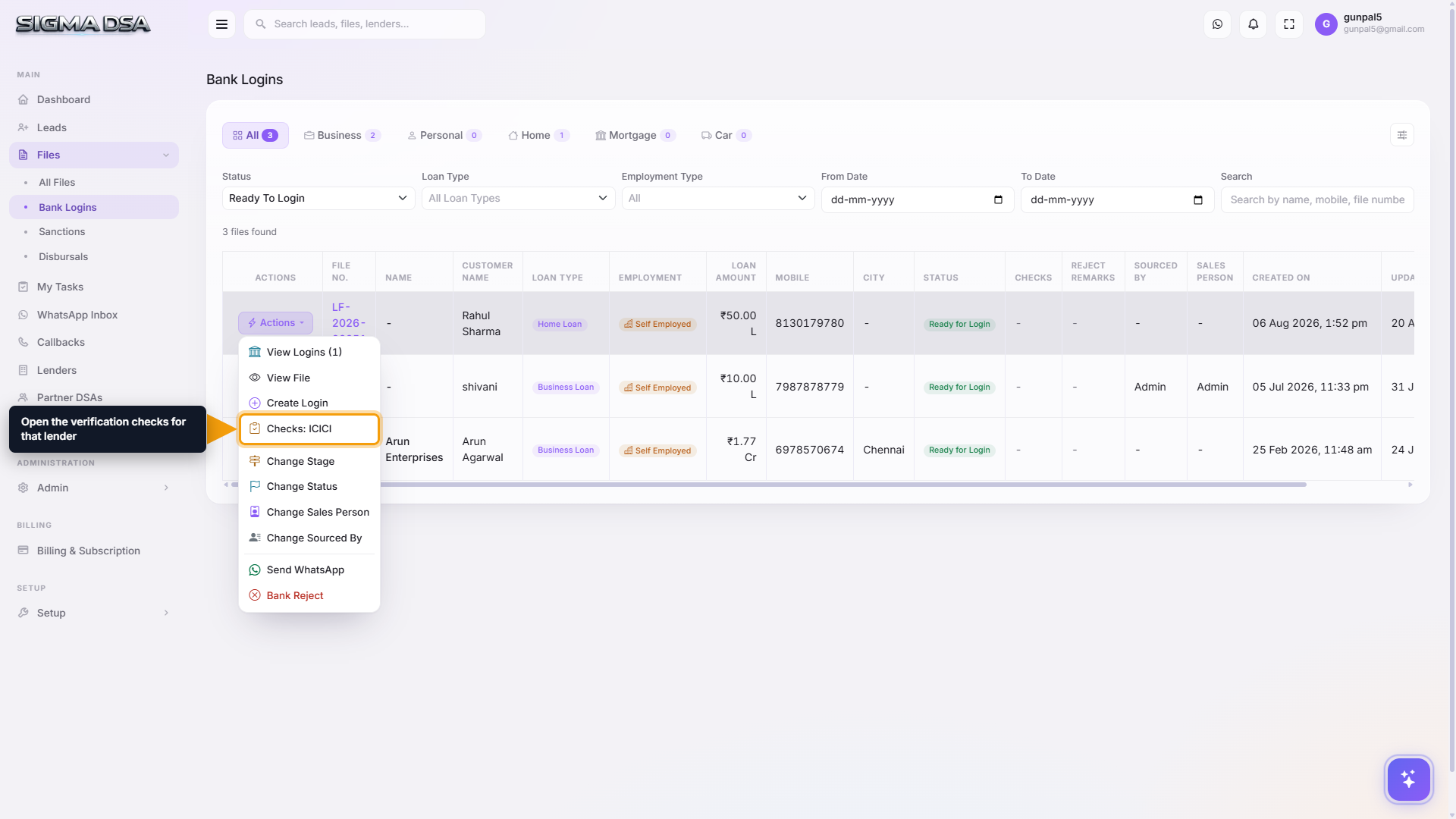
Each check is a simple Done / Pending toggle — no dates, no assignees, nothing to fill in. Tick what's finished and save.
Checks are a checklist, not a gate. Nothing stops you moving a file with checks outstanding — the value is that the whole team can see what's left before the bank asks.
Seeing progress across the queue
The Checks column on the Bank Logins list shows progress per submission — 3/5 means three of that lender's five checks are done. Scanning that column tells you which logins are genuinely ready and which will bounce back.
Next steps
- Bank Logins list — where checks are worked
- Add a lender — where the templates live
- Bank logins on a file
Bank Logins list
The company-wide Bank Logins page in SigmaDSA — every file submitted to a lender in one queue, with verification-check progress, login status filters and reject remarks.
Credit Evaluation
Tour of the SigmaDSA Credit Evaluation editor — the ten sections (Overview, CIBIL Score, Bank Statement, Existing Loans, DSCR, BTO, GST, Documents, Credit Summary, CAM Report) that together produce the file's underwriting picture.