BTO section
The BTO (Banking Turnover) section of the Credit Evaluation editor — credit/debit summation from bank statements + margin amount. Cross-validates the financials in the DSCR section.
The BTO (Banking Turnover) section captures banking-flow-based revenue as a cross-check against the financials in the DSCR section. For lenders evaluating self-employed and business files, BTO is the reality check on declared income.
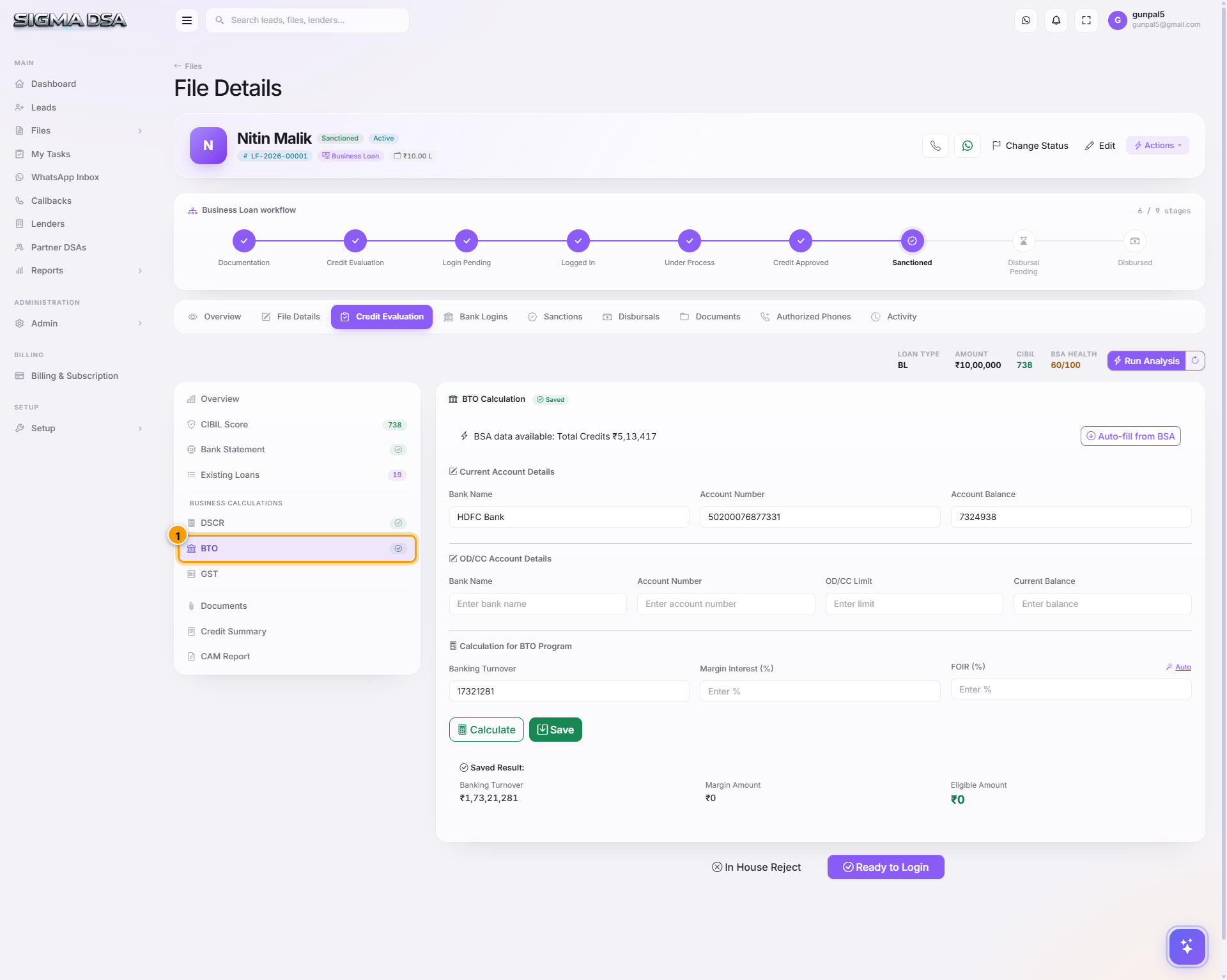
What's on the section
- Banking Turnover (Annual) — total credits in the bank statement, annualised. Auto-populated from the Bank Statement section's BSA output.
- Margin Amount — the minimum balance the applicant maintains / commits to maintain. Relevant for working-capital products.
- BTO Months Considered — typically 12 months for annualised BTO; some lenders accept 6-month-extrapolated BTO. Captured per-file.
- Bank Reference — which bank account this BTO is derived from. Files with multiple business accounts can have multiple BTO rows.
How BTO is derived
BTO = sum of all business credits over the BSA period
If the BSA window is 6 months, the system annualises:
BTO = sum-of-credits × (12 / months_considered)
For files with multiple business accounts (common — current account + cash-credit + savings used for vendor payouts), upload each statement to the Documents tab; the BTO section sums across all of them.
What lenders compare
| Comparison | Meaning |
|---|---|
| BTO ≈ Turnover (ITR) | Clean — declared income matches banking reality. |
| BTO > 1.5× Turnover | Under-declaration suspected. Lender will dig into ITR. |
| BTO < 0.7× Turnover | Business may be declining; or significant cash sales not routed through bank. |
| BTO / 12 < requested EMI | The bank can immediately see the applicant can't service the EMI from banking flows. Likely rejection. |
Common flows from this section
- Auto-populated from BSA — most of the time you don't touch this; review and save.
- Add a second bank account's flows → upload its statement → BSA runs → BTO updates to sum across both.
- Annualise from 6 months → set BTO Months Considered = 6 → save. The displayed BTO doubles.
- Cross-check before submitting → compare BTO to the Turnover/Sales field in DSCR. Mismatch > 30% needs a note in the Credit Summary.
Next steps
DSCR section
The DSCR (Debt Service Coverage Ratio) section of the Credit Evaluation editor — turnover, profit after tax, cash accruals, total debt service. Used for self-employed and business loans.
GST section
The GST section of the Credit Evaluation editor — GST returns analysis covering annual + 12-month turnover, tax paid, and filing consistency. Used for self-employed and business loans.