Credit Summary section
The Credit Summary section of the Credit Evaluation editor — the final underwriting narrative. One paragraph that the relationship manager sends to the bank along with the application packet.
The Credit Summary is the last section in the Credit Evaluation editor — and the most important one for getting the file approved quickly. It's the one-paragraph narrative that explains the file's underwriting story in the language lender relationship managers care about.
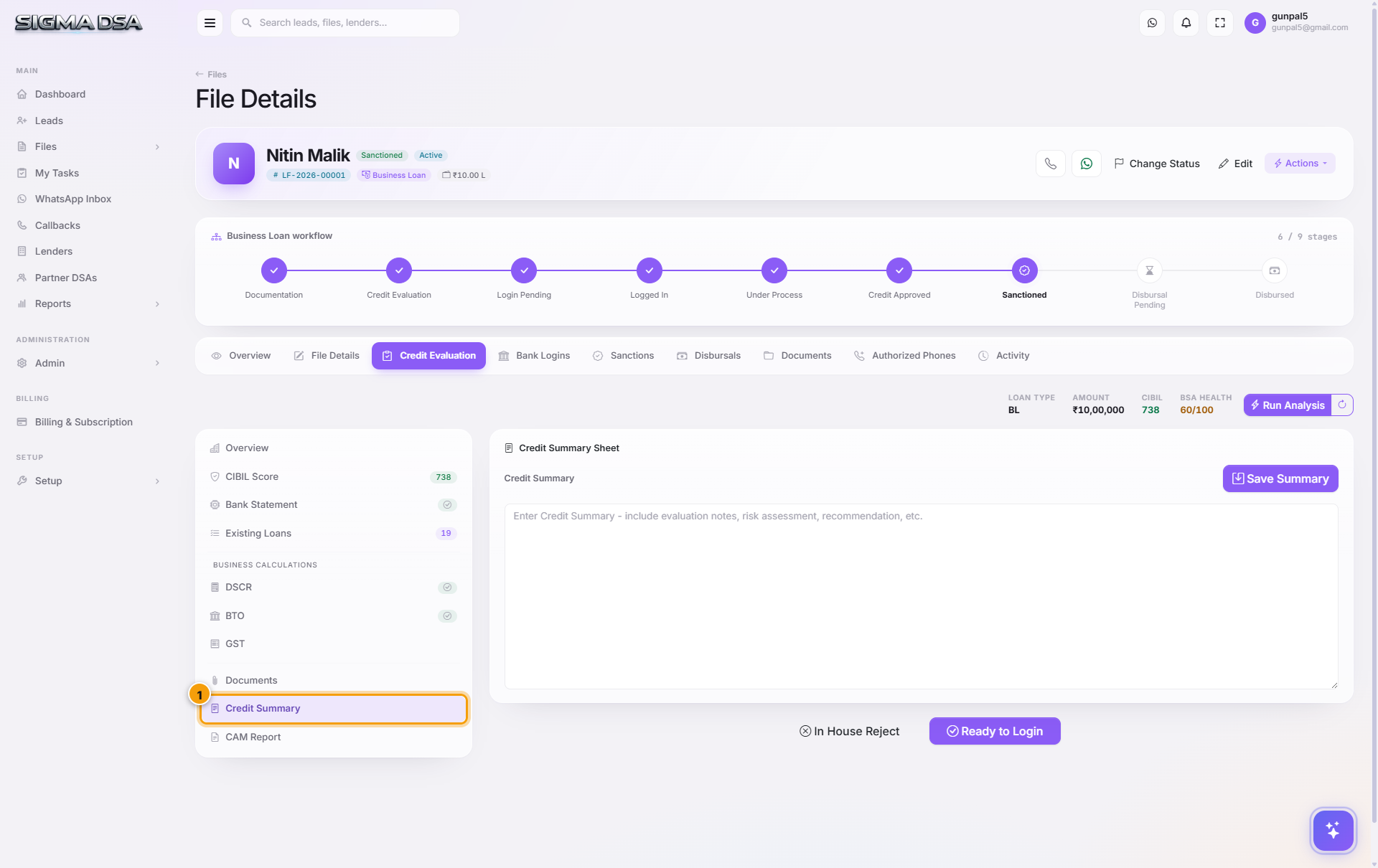
What's on the section
- Credit Summary — a free-text area for the final narrative.
- Save Summary — saves the text and inlines it into the file's submission packet.
What goes in a good credit summary
Bank RMs scan summaries for these signals, in this order:
| Signal | What lenders look for |
|---|---|
| Applicant snapshot | One line: name, age, profile (salaried at X / proprietor of Y), city. |
| Headline numbers | Requested ₹, CIBIL score, FOIR / DSCR, salary or business turnover. |
| File strengths | Why this deal is good — stable employment, long banking relationship, growing turnover, low LTV, co-applicant strength. |
| Risks acknowledged | Anything the lender will spot — bounces, recent enquiries, declining trend. Better to call them out with mitigants than hide them. |
| Specific ask | What you're asking the bank to do — sanction at requested amount, consider stretching tenure, waive PF. |
Example structure (Business Loan)
Mr. Nitin Malik (45), Proprietor of Malik Trading Co., is applying for a ₹10 Lakh business loan for working-capital expansion. The firm has been GST-registered since 2018 with a ₹78.66 L annual turnover, ₹9.13 L PAT, and a DSCR of 1.4× after the proposed EMI. CIBIL 752 (Good), no defaults, banking turnover of ₹1.73 Cr in the last 12 months supports the declared revenue. Banking conduct is clean — zero bounces in 12 months. We request HDFC to consider this file at the requested amount with a 36-month tenure at the standard MCLR.
That's roughly 100 words — about right. The auto-generator targets 150–300 words.
How auto-generation works
Click Save Summary with the text area empty:
- The AI Employee pulls the latest values from every upstream section.
- Applies a per-tenant template ("how do we write summaries").
- Generates a paragraph.
- Inserts it into the text area.
You then review and tweak — usually 1–2 sentences of editorial polish before saving for real.
Common flows from this section
- Auto-generate then review — save empty → AI fills → polish → save again.
- Highlight a specific strength — for example, if the applicant has been banking with HDFC for 15 years, lead the summary with that when submitting to HDFC.
- Acknowledge a weakness with a mitigant — "One bounce in Sep 2025 due to cheque clearing delay; banking has been clean for 6 months since."
- Update after the bureau pull or BSA refresh — re-run auto-generate so the numbers stay accurate.
Once saved
The Credit Summary is included in:
- The PDF packet emailed to the bank RM via Bank Logins.
- The lender's API submission (for integrated lenders).
- The exported single-file PDF (Actions → Export File Pack).
Next steps
Documents section (Credit Eval)
The Documents section within the Credit Evaluation editor — credit-eval-specific documents (ITRs, GST returns, bank statements, financials) that drive the other sections.
CAM Report
The Credit Appraisal Memo in SigmaDSA — financial spreads pulled from the file's own documents, policy deviations flagged, an AI-drafted narrative, and a formatted CAM PDF to send with the login.