Documents section (Credit Eval)
The Documents section within the Credit Evaluation editor — credit-eval-specific documents (ITRs, GST returns, bank statements, financials) that drive the other sections.
The Documents section inside the Credit Evaluation editor surfaces the documents that specifically drive the credit-evaluation sections (ITRs, GST returns, bank statements, financials). It's a focused subset of the file's Documents tab — easier to manage when you're underwriting without leaving the editor.
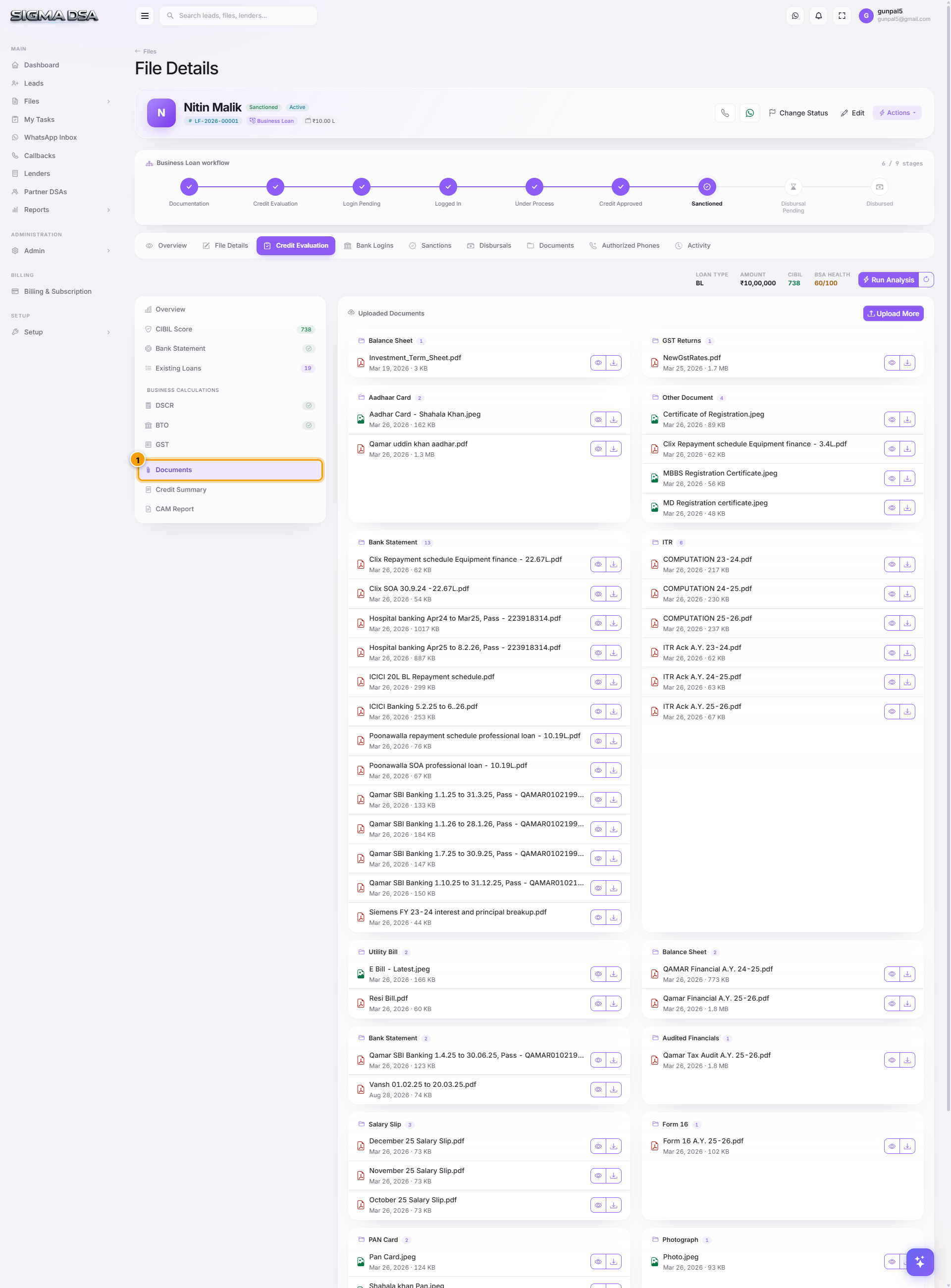
What's on the section
Documents are organised by credit-evaluation category, not the broader checklist on the File Detail page:
Income / Financials
- ITR (last 3 years) — Personal or Business ITR PDFs.
- Computation of Income — CA-prepared.
- Audited Financials — Balance Sheet + P&L (for ≥ ₹1 Cr turnover businesses).
- CA Certification — net-worth certificate or turnover certificate, optional.
Banking
- Bank Statement — primary current/savings account statement (drives the Bank Statement section).
- OD/CC Statement — for businesses with working-capital limits.
- Sanction Letters from Existing Lenders — for the Existing Loans cross-check.
GST / Compliance
- GSTR-1 / GSTR-3B — monthly returns covering the last 12 months.
- GST Registration Certificate — proof of GSTIN.
- GST Annual Return (GSTR-9) — if filed.
Bureau
- CIBIL Report PDF — the full bureau pull, often required by lenders.
How uploads here connect to other sections
| Upload | Auto-feeds |
|---|---|
| Bank Statement PDF | Bank Statement section — BSA runs automatically |
| GSTR-1 / GSTR-3B | GST section — turnover + filing consistency parsed |
| ITR | DSCR section — Turnover + PAT pre-filled |
| Audited Financials | DSCR section — Depreciation + Director Remuneration |
| CIBIL PDF | CIBIL section — score + accounts parsed |
Common flows from this section
- Bulk-upload after a new applicant call — drag every credit-eval document into the upload zone here; the AI Employee categorises them by content and runs the relevant analyzers in parallel.
- Replace a previously-uploaded statement with a fresher one → upload → mark the old one Superseded. Re-run BSA from the Bank Statement section.
- Send to banker for sanity-check — select the credit-eval documents → click Share → generates a 7-day expiring link.
Next steps
GST section
The GST section of the Credit Evaluation editor — GST returns analysis covering annual + 12-month turnover, tax paid, and filing consistency. Used for self-employed and business loans.
Credit Summary section
The Credit Summary section of the Credit Evaluation editor — the final underwriting narrative. One paragraph that the relationship manager sends to the bank along with the application packet.