FilesTour of file details page
Activity tab
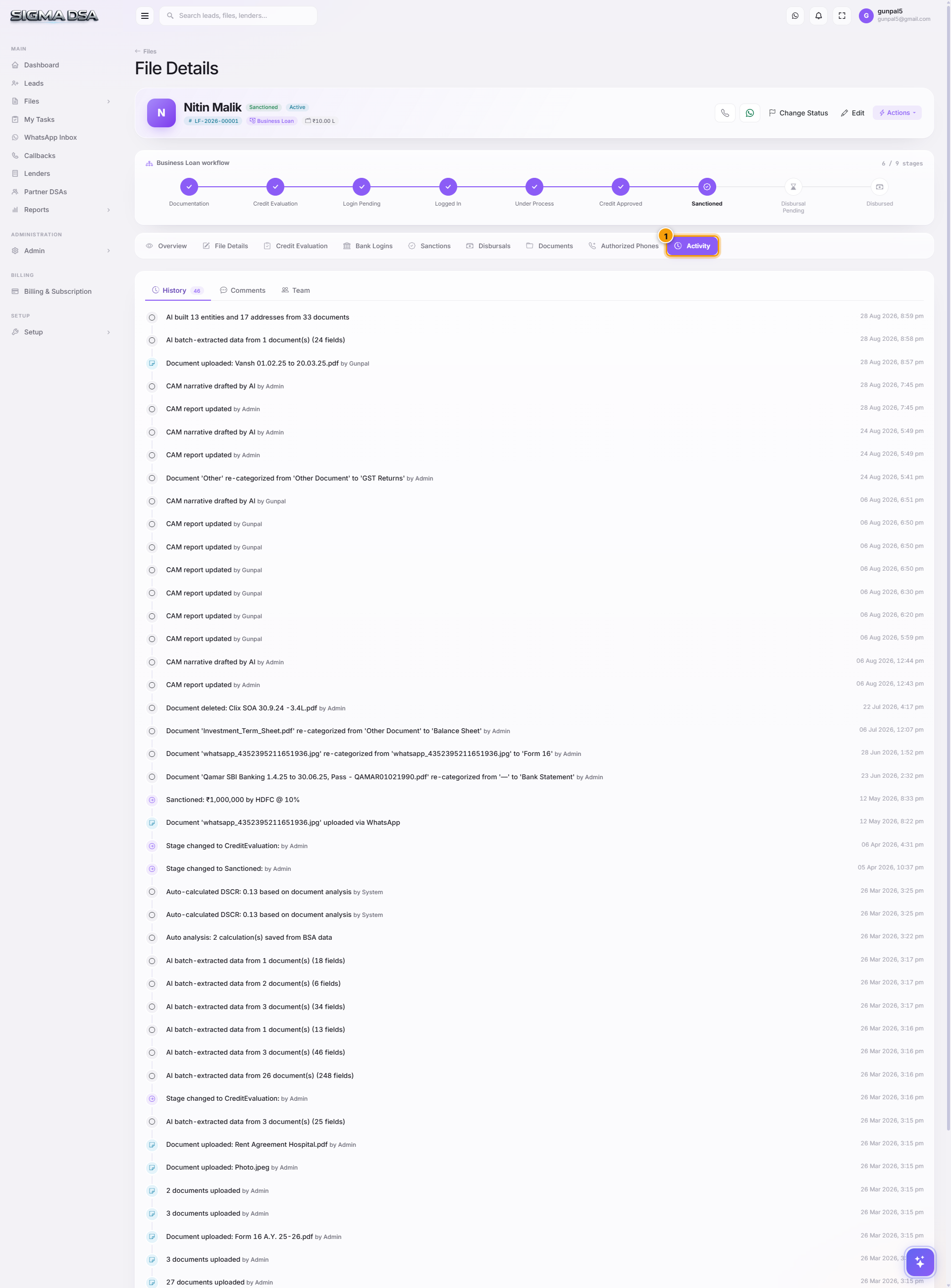
Chronological audit log of every action taken on the file — stage transitions, status changes, bank logins, sanctions, disbursals, comments, document uploads, and reassignments.
The Activity tab is the file's audit log — every action that touched the file, in chronological order, with timestamp and the user who performed it. Compliance teams use this to reconstruct what happened; sales managers use it to spot stuck files.
What gets logged here
Every system event is recorded automatically:
| Event | Triggered by |
|---|---|
| File created | Conversion from lead OR manual Create File. |
| Stage changed | Any stage transition (Documentation → Login Pending, etc.). |
| Status changed | Within-stage status flip. |
| Bank login added | Submitting to a lender. |
| Bank login status updated | Lender approval, query, rejection. |
| Sanction recorded | Sanction modal submission. |
| Disbursal recorded | Disbursal modal submission. |
| Document uploaded | Any file added to the Documents tab. |
| Document verified | Admin marked a document as reviewed. |
| Comment added | A user added a note via Actions → Add Comment. |
| Assigned / reassigned | Ownership change. |
| SMS / WhatsApp sent | Templated message to the applicant. |
| AI Employee action | When the WhatsApp bot replies to an applicant query, the conversation summary is logged here. |
| Rejected | File marked rejected with a reason. |
Entry structure
Each row shows:
- Icon + color — visually distinguishes stage changes (blue), bank actions (green), comments (grey), and destructive actions (red).
- Timestamp — exact date/time, hover for relative ("3 days ago").
- Actor — the user (or "AI Employee" for bot actions).
- Event description — what changed.
- Before → After — for status/stage/assignment changes, both old and new values are shown.
- Attached payload — for comments, the comment text; for sanctions, the sanction details; etc.
How to use this tab
- Spot a stuck file — look at Last activity. If a file hasn't moved in 5+ days at Login Pending, that's a follow-up.
- Investigate a customer complaint — applicant says "I didn't get any callback" — check Activity for SMS/WhatsApp events on their file.
- Audit trail for compliance — every entry is immutable. Export the file (from the Files list) to capture this trail in Excel.
- See AI Employee actions — every time the WhatsApp bot answered a question or chased a missing document, you'll see a row here.